Hire a HubSpot Specialist
The HubSpot Agency Alternative — Vetted Specialists, No Markup
HubSpot is one of the most powerful CRM and marketing automation platforms available — and one of the most commonly underutilized. Most companies that invest in HubSpot spend the first year using it as a glorified contact database: deals tracked, emails sent, but none of the workflow automation, lead scoring, lifecycle management, or attribution reporting that justifies the $800-5,000/month platform cost. The platform isn't the limitation. The expertise is.
Also known as
HubSpot Expert·HubSpot Consultant·HubSpot CRM Specialist·HubSpot Implementation Expert
What Does a HubSpot Specialist Do?
A HubSpot specialist begins by auditing the existing portal. They review contact properties and lifecycle stages, assess how deals are configured and where pipeline leakage occurs, examine active workflows for logic errors and redundancy, and identify the highest-priority gaps between what HubSpot could do and what it's currently doing. Most portals have both quick wins (broken workflows, misconfigured lifecycle stages, missing automation) and longer-term architecture improvements that require careful planning.
CRM configuration and architecture is foundational
A specialist sets up contact, company, and deal properties that reflect the real language of the business — not HubSpot defaults. They configure lifecycle stages to match the actual buyer journey, from subscriber through lead, MQL, SQL, opportunity, and customer. They design custom deal pipelines for different revenue streams or sales motions. In complex businesses, they build custom objects that extend HubSpot beyond its standard model to capture data that the out-of-the-box CRM can't accommodate.
Marketing Hub — workflows, email sequences, campaigns, and forms — is where most value is created. Specialists build lead nurture workflows triggered by form fills, page visits, email engagement, or deal stage changes. They design and execute campaign email sequences aligned to buyer personas and lifecycle stages. They configure A/B testing on emails, landing pages, and CTAs. They build content segmentation logic that delivers the right asset to the right prospect based on their industry, role, and behavior — not just their email address.
Sales Hub configuration directly impacts revenue
Specialists build deal pipelines that reflect how your sales team actually works, set up email templates and sequences that sales reps use for outbound and follow-up, configure meeting scheduling links and automatic deal creation from meeting bookings, and implement task automation that ensures no lead falls through the cracks during a long sales cycle.
HubSpot integrations separate functional implementations from transformative ones. Specialists connect HubSpot to Salesforce (for orgs with both systems), Zoom (for automatic meeting logging), LinkedIn (for ad audience sync and lead gen form integration), and data enrichment tools like Clearbit or Bombora that keep contact and company records current without manual entry. These integrations eliminate the data silos that make CRM data unreliable.
Reporting and analytics is the layer that makes everything else defensible
Specialists build dashboards that answer the questions sales and marketing leaders actually ask: which marketing channels source the most closed revenue, which content assets accelerate deals, where in the pipeline do prospects stall, and what is the return on marketing investment by campaign and channel. HubSpot's attribution reporting — when configured correctly — finally gives marketing teams the revenue accountability they've always wanted.
Core HubSpot Specialist Skills
CRM Configuration & Architecture
CoreDesigning and configuring contact, company, deal, and ticket properties; lifecycle stage configuration aligned to the actual buyer journey; custom deal pipelines; and custom objects for non-standard business models.
Marketing Automation & Workflows
CoreBuilding workflow automations triggered by form submissions, page visits, email engagement, deal stage changes, and lifecycle transitions — including lead routing, internal notifications, task creation, and enrollment in email sequences.
Lead Scoring & Lifecycle Management
CoreConfiguring HubSpot's lead scoring system with both demographic fit criteria (company size, industry, title) and behavioral engagement signals (email opens, page visits, content downloads), and automating lifecycle stage transitions based on score thresholds.
HubSpot Integrations
CoreConnecting HubSpot with Salesforce, Zoom, LinkedIn, Google Ads, data enrichment tools (Clearbit, Bombora), and business intelligence platforms using native integrations, Zapier, or API-based approaches.
Sales Hub & Pipeline Management
CoreConfiguring deal pipelines, probability settings, required fields by stage, email templates and sequences for sales rep use, meeting scheduling links, and task automation that ensures consistent sales follow-up.
Reporting & Analytics
CoreBuilding marketing and sales dashboards using HubSpot's reporting tools — including multi-touch attribution reports, funnel conversion analysis, pipeline velocity dashboards, and email performance reporting.
Email & Sequences
CoreCreating marketing email campaigns, automated enrollment sequences, A/B tests, and sales email templates — managing list segmentation, personalization tokens, and unsubscribe compliance across all email types.
Landing Pages & Forms
CoreBuilding HubSpot landing pages and forms for lead capture — including progressive profiling configuration, thank-you page automation, smart content for returning visitors, and integration with campaign tracking.
Advanced HubSpot Specialist Skills
Custom Objects & Properties
AdvancedCreating and configuring custom objects beyond HubSpot's standard CRM model — for industries or business models with unique data structures (e.g., Properties in real estate, Policies in insurance, Projects in professional services) — and building automation that incorporates custom object data.
API & Webhook Configuration
AdvancedUsing HubSpot's API and webhook functionality to create custom integrations, push data from third-party systems into HubSpot, trigger external actions from HubSpot workflow events, and build automation that goes beyond the platform's native capabilities.
ABM Strategy in HubSpot
AdvancedConfiguring HubSpot's ABM tools: company scoring based on fit criteria, target account list management, stakeholder tracking across the buying committee, and coordinating marketing campaigns with sales account-level outreach.
Revenue Attribution Modeling
AdvancedConfiguring and interpreting HubSpot's multi-touch attribution models — first-touch, last-touch, linear, U-shaped, time-decay, full-path — and building executive reporting that accurately attributes closed revenue to marketing activities.
HubSpot + Salesforce Integration
AdvancedManaging the bidirectional HubSpot-Salesforce data sync — field mapping, inclusion lists, record deduplication, source of truth decisions by field type, error monitoring, and ongoing sync maintenance for orgs running both platforms.
HubSpot Specialist Tools & Platforms
HubSpot
PrimaryThe primary platform — all-in-one CRM, marketing automation, sales enablement, customer service, and reporting platform with deep native integrations and a well-documented API.
Salesforce
PrimaryThe enterprise CRM most commonly integrated with HubSpot — specialists must understand Salesforce data architecture to configure the bidirectional sync and manage source of truth decisions between platforms.
Zapier
OptionalNo-code integration platform used to connect HubSpot with systems that don't have native HubSpot integrations — extending automation reach without custom API development.
Google Analytics 4
OptionalWeb analytics platform used alongside HubSpot for cross-channel attribution, session-level behavior analysis, and validating HubSpot-reported traffic and conversion data.
Professional network with native HubSpot integration for LinkedIn Lead Gen Form sync, Matched Audiences for HubSpot list-based ad targeting, and contact-level activity logging for sales intelligence.
Clearbit
OptionalData enrichment platform that automatically enriches HubSpot contacts and companies with firmographic and technographic data — reducing manual data entry and improving lead scoring accuracy.
Bombora
OptionalB2B intent data platform that surfaces accounts actively researching topics relevant to your product — integrated with HubSpot for intent-triggered workflow enrollment and ABM prioritization.
Apollo
OptionalSales intelligence and prospecting tool used alongside HubSpot for outbound sales — specialists configure the sync between Apollo-sourced contacts and HubSpot CRM records.
Outreach
OptionalSales engagement platform sometimes used alongside HubSpot Sales Hub for high-volume SDR outbound sequences — specialists manage the bidirectional data sync between platforms.
Zoom
OptionalVideo conferencing platform with native HubSpot integration for automatic meeting logging, contact timeline events, and webinar registration/attendance tracking in the CRM.
Who Needs a HubSpot Specialist?
B2B companies at the $2M-50M revenue stage are the primary buyers of HubSpot specialist talent. These companies have invested in HubSpot, have a sales team using it inconsistently, and a marketing team that isn't extracting full automation value. A HubSpot specialist professionalizes the entire go-to-market operation — creating the workflows, lead routing, and reporting that make HubSpot a competitive advantage rather than an expensive contact list.
SaaS companies with self-serve and sales-assisted growth models rely on HubSpot to manage the handoff between product-led and sales-led motions. When a free user hits a product usage threshold, a HubSpot workflow should alert the right sales rep, enrich the contact with firmographic data, and enroll them in a targeted outreach sequence — all automatically. Building and maintaining this infrastructure requires specialist knowledge of both HubSpot and SaaS go-to-market patterns.
Agencies using HubSpot to manage their own new business pipeline benefit enormously from specialist implementation. Agencies that sell marketing services need their own marketing infrastructure to be exemplary — demonstrating expertise through their HubSpot configuration is itself a sales tool. A well-implemented agency HubSpot portal with proper attribution reporting also solves the perennial problem of crediting marketing efforts that influence new business wins.
Companies switching to HubSpot from legacy CRMs (Salesforce, Zoho, Pipedrive) need specialist guidance to ensure the migration preserves data integrity, preserves sales team context, and configures HubSpot's architecture to match the new go-to-market strategy — not just replicate old habits from the previous system.
Service businesses — consulting firms, law firms, accounting practices, financial advisors, healthcare organizations — increasingly use HubSpot for client acquisition and retention. These firms often lack internal marketing operations expertise; a HubSpot specialist builds the foundation that lets partners or principals focus on client delivery while the CRM handles lead follow-up, proposal tracking, and client communication automatically.
How to Evaluate a HubSpot Specialist
Platform architecture knowledge separates specialists from power users. Ask: "Walk me through how you'd set up lifecycle stages for a B2B SaaS company with both self-serve and sales-assisted acquisition." Strong candidates describe distinct lifecycle stages for each motion, explain how contacts move between stages (and who or what triggers the transition), and address the edge cases — like a self-serve user who becomes enterprise-sales-qualified, or a churned customer who re-enters the top of the funnel.
Workflow logic assessment reveals implementation depth. Give them a scenario: "A prospect downloads three content assets, visits the pricing page twice, and opens every email we send but hasn't booked a demo. How do you use HubSpot automation to move them toward a sales conversation?" Weak answers add them to a nurture list. Strong answers describe a scoring model that flags this behavior, a workflow that changes their lifecycle stage, an internal notification to the account owner, and an automated personal-looking email from the sales rep triggered by the threshold breach.
Ask about lead scoring philosophy and configuration. "How do you approach lead scoring in HubSpot — and what are the most common mistakes you see?" Strong candidates talk about balancing demographic fit (company size, industry, role) with behavioral engagement (email opens, page visits, content downloads), decaying scores for inactivity, and the critical importance of getting sales team buy-in on score thresholds before deployment. They'll also note that lead scoring without proper lifecycle stage configuration is useless.
Integration experience is a differentiator for complex organizations. "Have you integrated HubSpot with Salesforce? What are the most common sync issues and how do you resolve them?" Strong candidates discuss bidirectional sync configuration, field mapping decisions (which system is the source of truth for which fields), handling of duplicate records, and the importance of proper inclusion lists to prevent syncing every contact into Salesforce.
Attribution reporting capability signals the ability to demonstrate marketing ROI. "How do you build attribution reports in HubSpot that show marketing's influence on closed revenue?" Strong candidates explain HubSpot's multi-touch attribution models (first-touch, last-touch, linear, time-decay, U-shaped), when to use each, and how to configure custom reporting using contact attribution data and revenue data from deals.
Mistakes to Avoid When Hiring a HubSpot Specialist
Pattern failures we see across hundreds of hubspot specialist engagements — and what to do instead.
Hiring on credentials instead of results
Certifications, agency names on a résumé, and tool fluency say nothing about whether a HubSpot Specialist can move a metric. Ask for specific accounts, the starting state, the ending state, and the specialist's exact contribution. If they can't quantify outcomes, they likely didn't drive them.
Skipping the industry-experience question
HubSpot Specialists who have worked in your industry compress the ramp from 90 days to 14. The patterns — buyer behavior, seasonality, channel mix, what creative wins — don't transfer across verticals as much as people assume. Always ask for at least one account in or adjacent to your industry.
Vague or absent success metrics
Hiring without defined success criteria is how 6-month engagements end with "we tried a bunch of stuff." Before signing, agree on 2-3 quantitative outcomes tied to your business (CPA at X, revenue lift of Y%, organic traffic to Z), the time window, and what failure looks like. Specialists who push back on this are signaling they don't want accountability.
Underweighting communication and async work habits
Even the best HubSpot Specialist fails if you can't reach them, get a status update, or read their thinking. Especially for remote engagements, test their async habits explicitly: how do they document work, how often do they update, how do they handle escalation when something breaks. Bad communicators don't get better under pressure.
Over-paying for senior talent on early-stage work, or under-paying for strategic work
Both extremes waste money. A senior HubSpot Specialist at $150/hr is a poor fit for tactical execution; a $25/hr generalist is a poor fit for setting up tracking, building attribution, or running diagnostics. Match the seniority of the hire to the actual problem — for most growing businesses, the sweet spot is a vetted mid-level specialist at managed-platform rates ($10–$16/hr through EverestX), not the cheapest or most senior option.
No replacement plan if the hire is the wrong fit
~25–30% of first-attempt marketing hires don't work out within 90 days. If your hiring process has no built-in path to replace without re-starting from scratch (re-recruiting, re-interviewing, re-onboarding), the cost of getting it wrong is 6-8 weeks of stalled execution. Build replacement into the engagement up-front, or hire through a platform that includes it by default.
Pricing Comparison
No upfront fees · no hiring fees · no platform fees — clients pay only for hours worked.
Full-time
$10–$12/hr
Mon–Fri, 8 hrs/day · 40 hrs/week
≈ $1,700–$2,100/mo
Part-time
$14–$16/hr
Mon–Fri, 4 hrs/day · 20 hrs/week
≈ $1,200–$1,400/mo
How that compares to freelancers and agencies
| Experience Level | Freelancer | Agency | EverestX |
|---|---|---|---|
Junior HubSpot Specialist | $25–45/hr $1,500–$2,800/mo | $60–100/hr $3,500–$7,000/mo | $10–$12/hr $1,700–$2,100/mo |
Mid-Level HubSpot Specialist | $45–80/hr $2,800–$5,000/mo | $100–160/hr $6,500–$11,000/mo | $10–$12/hr $1,700–$2,100/mo |
Senior HubSpot Specialist | $80–130/hr $5,000–$8,500/mo | $160–240/hr $10,000–$16,000/mo | $10–$12/hr $1,700–$2,100/mo |
Expert HubSpot Consultant | $130–200/hr $8,500–$14,000/mo | $240–400/hr $16,000–$26,000/mo | $10–$12/hr $1,700–$2,100/mo |
EverestX rate is flat across experience levels — within the band, exact rate depends on the specific talent's background and skills. Part-time engagements available at $14–$16/hr (20 hrs/week).
Common HubSpot Specialist Challenges We Solve
Stop struggling with these pain points. Our vetted specialists deliver solutions from day one.
Problem
HubSpot Underutilized Despite High Platform Cost
Companies paying $1,500-5,000/month for HubSpot Professional or Enterprise are often using 15-20% of the platform's capability — manually entering contacts, sending batch-and-blast emails, and tracking deals by hand. The ROI case for HubSpot depends on automation that most teams never build.
Solution
A specialist conducts a portal audit, identifies the 5-10 highest-ROI automation opportunities, and builds them in priority order. Common wins include lead-to-MQL workflow automation, deal stage email sequences, internal notification workflows, and contact property automation that eliminates manual data maintenance. Most portals can recapture 50-60% of platform value within the first 90 days of specialist engagement.
Problem
Sales and Marketing Misalignment
Marketing sends leads to sales, sales says they're low quality, marketing says they're not being followed up. This classic tension usually points to missing MQL definition, no lead scoring model, and manual lead routing that creates delays and gaps.
Solution
A specialist facilitates the MQL definition conversation between sales and marketing, builds a lead scoring model that both teams agree on, configures automatic lead routing and SLA notification workflows, and creates the reporting dashboard that shows lead quality and follow-up speed simultaneously. Most sales-marketing alignment problems in HubSpot are configuration problems, not culture problems.
Problem
No Attribution: Can't Prove Marketing ROI
Marketing runs campaigns, HubSpot tracks email opens and click rates, but leadership can't see the line between marketing activity and revenue. Deals close, but which campaign influenced them? This is one of the most common — and most solvable — HubSpot problems.
Solution
A specialist configures HubSpot's multi-touch attribution reporting, ensures deals are correctly associated with contacts and companies, connects ad platform data through native integrations, and builds an attribution dashboard that shows marketing-sourced and marketing-influenced revenue by channel, campaign, and content asset. This makes marketing's revenue contribution visible and defensible.
Problem
Dirty CRM Data
Duplicate contacts, inconsistent lifecycle stages, outdated job titles and company data, missing required fields, and contacts without any deal association — dirty CRM data undermines every automation and report that depends on it.
Solution
A specialist performs a data cleanup audit, configures HubSpot's native deduplication tools, implements data quality workflows that enforce required fields on form submission, connects data enrichment integrations to automatically update company and contact data, and builds ongoing monitoring dashboards that flag data quality issues before they compound.
Problem
Leads Going Cold During Long Sales Cycles
In B2B with 3-9 month sales cycles, prospects go cold between outreach attempts. Sales reps don't have a system for staying top-of-mind, marketing's nurture emails are too generic to move stalled deals, and there's no visibility into when a dormant prospect is re-engaging.
Solution
A specialist builds a multi-stage nurture program using HubSpot workflows: behavioral triggers that alert sales when a cold lead returns to the website, industry-specific content sequences that deliver relevant thought leadership on a consistent cadence, and re-engagement campaigns for 90+ day dormant prospects. Properly configured HubSpot nurture reduces the percentage of leads that go truly cold by 30-50%.
HubSpot Specialist vs Agency: Quick Comparison
Should you hire a dedicated HubSpot Specialist or outsource to an agency? Here is how the two approaches compare across the dimensions that matter most. For a deeper analysis, read our full HubSpot Specialist vs agency comparison.
Detailed Comparison
See how EverestX stacks up against hiring a freelancer or working with an agency.
| Dimension | Freelancer | Agency | EverestX |
|---|---|---|---|
Monthly Cost | $2,800–$8,500/mo | $8,000–$20,000/mo | $1,700–$2,100/mo full-time · $1,200–$1,400/mo part-time |
HubSpot Expertise Depth | High — platform-focused | Varies — shared across platforms | High — vetted implementations |
Direct Access to Implementer | Yes | No — through account manager | Yes |
Integration Experience | Depends on specialist | Variable by team composition | Matched to your stack |
Implementation Speed | Fast (starts week 1) | Slow (onboarding 4-8 weeks) | Fast (starts week 1) |
Attribution Reporting | High if experienced in RevOps | Medium — often a secondary focus | Matched to specialist skills |
Ongoing Management | Available by hour | Included in retainer | Included in managed retainer |
Accountability | Self-managed (risk) | Agency-managed (expensive) | EverestX-managed (efficient) |
How EverestX Works
A streamlined process to get you from requirement to results in days, not months.
Tell Us What You Need
Submit your role requirements, budget, and timeline. Our team reviews every request to understand your exact needs.
Get Matched in 48 Hours
We match you with pre-vetted specialists from our talent pool. Review profiles, skills, and availability before deciding.
Start Working Together
Your specialist is onboarded with managed support. We handle contracts, payments, and ongoing quality assurance.
HubSpot Specialist Hiring FAQs
What does a HubSpot specialist do vs. a HubSpot partner agency?
A HubSpot partner agency employs specialists (among other roles) and manages HubSpot implementations and ongoing marketing on behalf of clients. A dedicated HubSpot specialist through EverestX is the practitioner who actually does the work — building workflows, configuring pipelines, building email sequences — without the account manager, project manager, and agency overhead layered on top. For companies that want direct access to the person implementing their HubSpot and want to avoid paying agency markup, a specialist through EverestX is the more efficient choice.
Do I need a HubSpot specialist for initial setup or ongoing management?
Most companies benefit from both: a specialist who implements HubSpot correctly from the start (or fixes a poorly implemented portal), and then ongoing management to build new workflows, optimize existing automation, and keep the system growing with the business. Initial implementations typically take 4-12 weeks depending on complexity. Ongoing management retainers start at 10-20 hours per month for maintaining and improving an established portal, scaling up during active projects.
What HubSpot hubs do I actually need?
Marketing Hub is the foundation for any marketing automation program — email, workflows, landing pages, forms, and reporting. Sales Hub is essential if you have a sales team doing any outbound or deal tracking. Service Hub matters if you have a customer service function. Most B2B companies start with Marketing + Sales Hub Professional. Enterprise is appropriate when you need custom objects, advanced reporting, sandbox environments, or team-level permissions. A specialist will recommend the right tier based on your actual workflow requirements — not upsell you unnecessarily.
How long does HubSpot implementation take?
A basic implementation — contact/company property configuration, lifecycle stages, 3-5 core workflows, email templates, and basic reporting dashboards — takes 4-6 weeks. A mid-complexity implementation with custom objects, Salesforce integration, ABM configuration, and a full lead nurture program takes 8-12 weeks. Enterprise implementations with multiple business units, complex tech stack integrations, and custom attribution models can run 16-24 weeks. A specialist provides a scope estimate after reviewing your existing HubSpot setup and business requirements.
Can a HubSpot specialist help if we're migrating from Salesforce?
Yes — HubSpot-to-Salesforce migration (or migration from Salesforce to HubSpot) is a common specialist engagement. The migration process covers data export and cleaning, field mapping to HubSpot's property structure, contact and company import with deduplication, deal history migration, user setup and permission configuration, and the parallel running period where both systems are live before full cutover. An experienced specialist has a migration playbook that minimizes data loss and sales disruption.
What results can I expect from a HubSpot specialist engagement?
Typical outcomes include: 30-50% reduction in manual CRM data entry through automation, 20-40% improvement in lead-to-opportunity conversion rate through better lead scoring and routing, 15-30% faster deal velocity through pipeline automation and sequence follow-up, and the first clear picture of marketing's revenue attribution. Timeline for results: workflow automation wins appear within 30-60 days, attribution reporting clarity takes 60-90 days (requires deal data accumulation), and cultural adoption across the sales team typically takes 90-120 days.
More Ways to Get HubSpot Specialist Help
Different intents, different pages — same vetted talent network underneath.
Buy it as a service
HubSpot Specialist as a Managed Service
If you'd rather buy a service outcome than hire a person, see our hubspot specialist done-for-you service page.
Learn moreCompare alternatives
Best HubSpot Specialist Agencies & Alternatives (2026)
Honest comparison of the top hubspot specialist vendors — EverestX vs Toptal vs Upwork vs agencies.
Learn moreCost & Pricing
Compare
Top Cities
Industries
- HubSpot Specialist for E-commerce & DTC
- HubSpot Specialist for SaaS & Technology
- HubSpot Specialist for Healthcare & Medical
- HubSpot Specialist for Finance & Fintech
- HubSpot Specialist for Education & EdTech
- HubSpot Specialist for Real Estate
- HubSpot Specialist for Travel & Hospitality
- HubSpot Specialist for Agency & Consulting
- HubSpot Specialist for B2B Services
- HubSpot Specialist for Consumer Products & CPG
- HubSpot Specialist for Media & Entertainment
- HubSpot Specialist for Nonprofit & NGO
Related Roles
Real clients, real outcomes
Hear it from teams
we work with.
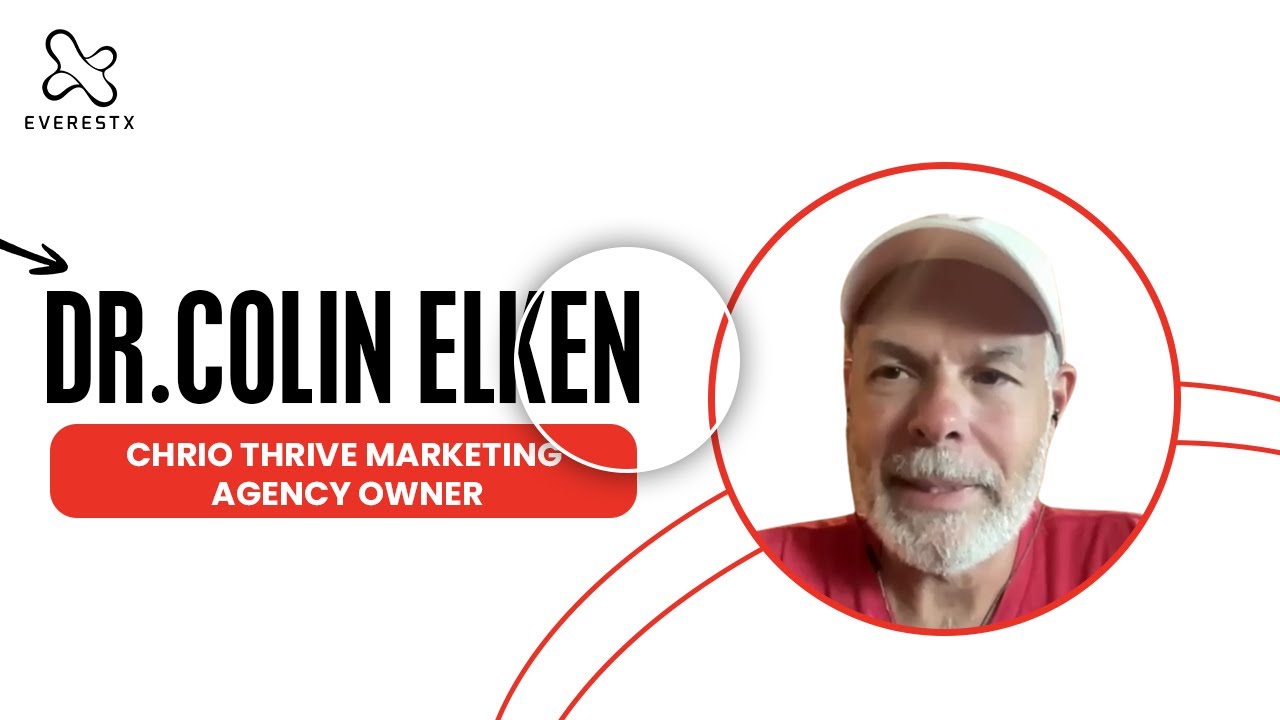
“He really acts as if he’s a part owner of the company. Owns up to mistakes right away, corrects them, and has done some wonderful work for us — frankly, helped us grow.”
Dr. Colin Elken
Agency Owner, Chirothrive Marketing Agency
Hired: Digital Marketing Specialist (Full-Time)
“He was a great team member with us for the last year. Definitely knows digital ads — very responsive and committed throughout.”
Jerry Martinez
President, Sunray Media Consultants
Hired: Performance Marketing Specialist (Full-Time)
“Saved us a ton of time on screening. The person they sent came in ready and picked up our stack fast — has been delivering consistently since week one.”
Rishi Patel
Senior Talent Operations Manager, RippleMatch
Hired: Paid Ads Specialist (Part-Time)
Tutorials
Want to do this yourself? Here is how
Free, step-by-step tutorials covering the tools this role works in. If at any point you would rather hand it off, our specialists are above.
HubSpot Marketing Hub
When to hire a HubSpot specialist — an honest checklist
HubSpot is one of the most powerful platforms in marketing — and one of the easiest to over-configure into uselessness. Here's the honest framework: when DIY costs you more than hiring, and how to tell which side of the line you're on.
HubSpot CRM
When to hire a HubSpot CRM specialist — an honest checklist
DIY HubSpot CRM is a great idea — until it isn't. This is the honest framework for when the cost of self-managing exceeds the cost of hiring help, and how to tell which side you are on.
Salesforce
When to hire a Salesforce admin — an honest checklist
DIY Salesforce admin is a great idea — until it is not. This is the honest framework: when the cost of self-managing exceeds the cost of hiring, and how to tell which side you are on.
Pipedrive
When to hire a Pipedrive specialist — an honest checklist
DIY Pipedrive is a great idea — until it isn't. This is the honest framework: when the cost of self-managing exceeds the cost of hiring a specialist, and how to tell which side you are on.
Ready to Hire a HubSpot Specialist?
Get matched with a vetted HubSpot Specialist in 48 hours. Try 1 week risk-free — no charge if not the right fit.
48-hour match guaranteed · Replacement at no cost · Cancel anytime